How to download call-for-papers?
1. Make sure that you have Adobe Reader in your computer.
2. If you do not have one, please download
Adobe Reader from the following website:
http://get.adobe.com/reader
3. Follow the instructions and download Adobe Reader.
4. After you have installed the Adobe
Reader in your computer, Click Call for paper in
http://clcloud.com/wmitforum
as follows:
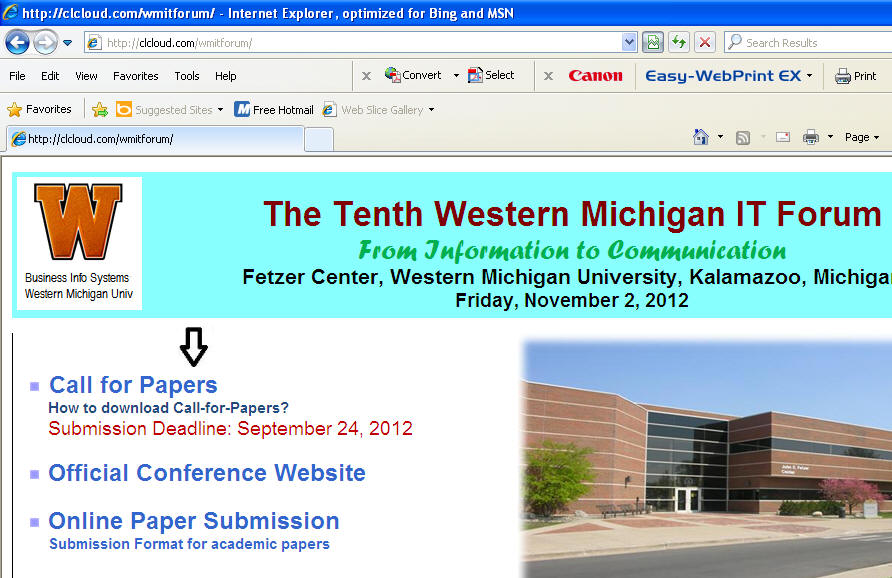
5. Wait about 15 seconds, you will see the call-for-papers
6. Click the Save button to your folder or print it out.